What is a Year in Pixels?
A Year in Pixels is one of the most loved bullet journal spreads: a grid of 365 small squares, one per day, usually twelve columns for the months and 31 rows for the days. At the end of each day you color that day’s square. The “pixel” is the square; the picture is what the year looks like once they’re all filled in.
It spread through the bullet journal community as a mood tracker. The Bullet Journal method itself, by Ryder Carroll, is a simple system of daily lists, and people added trackers like this one around it. A mood pixel takes ten seconds a day, and after a few months it shows things a diary can’t: that Mondays are consistently heavy, that a good week followed a change in sleep, that winter really is harder.
Should a Year in Pixels track mood or habits?
Either, and the choice changes what the colors mean. A mood chart records how a day felt. A habit chart records what you did. Both are worth keeping; they just answer different questions.
| At a glance | Mood version | Habit version |
|---|---|---|
| Each color means | How the day felt: great, good, okay, low, rough | How much you did: all habits, most, some, one, none |
| You fill it in | In the evening, after a moment’s thought | In the evening, or automatically in an app |
| It helps you see | Patterns in mood across weeks and seasons | Consistency, streaks and slow stretches |
| Watch out for | Averaging a mixed day into one color | Judging a quiet day too harshly |
| Good pairing | A one-line journal | A habit tracker or a habit stack |
A third version tracks a single habit, like reading or alcohol-free days, with just one or two colors. It’s the simplest to keep, and the easiest to read at a glance.
What can you track in a Year in Pixels?
Here are 30 Year in Pixels ideas. Pick one per chart, and keep the key to three to five colors so each evening takes seconds.
Mood and mind
- Mood the classic: five colors from great to rough
- Energy how much you had, not how much you used
- Stress calm, busy, stretched, overwhelmed
- Anxiety a gentle way to spot patterns over months
- Gratitude color the day if you wrote something down
- Time outside none, a little, an hour, most of the day
- Screen time under or over the limit you chose
- Social days alone, with family, with friends, with a crowd
Health and body
- Sleep hours, or how rested you felt
- Exercise a color per type: walk, run, gym, yoga
- Steps bands like under 5k, 5–8k, over 8k
- Water did you reach your glasses for the day?
- Headaches or pain useful to bring to a doctor
- Cycle phases or symptoms, alongside mood
- Alcohol-free days one color, and watch the streaks form
- Home-cooked meals none, one, two, all of them
Habits
- All your habits shade by how many you did: all, most, some, one
- Reading pages or minutes, in bands
- Meditation done or not, or length in minutes
- Journaling a line, a page, or nothing
- Language practice one color per day you practised
- Creative practice drawing, music, writing
- No-spend days a simple yes or no
Life and memories
- Weather sunny, cloudy, rain, snow, storm
- Work days office, home, day off, travel
- Travel a color for each place you slept
- Books finished mark the day, write the title in the margin
- Kids’ days for parents: how the day went at home
- Wins color the days something went right
- Workouts with a friend or any shared ritual
Looking for habits rather than moods? Here are 80+ habits to track.
How do you set up a Year in Pixels in a bullet journal?
- Choose one thing to track. Mood is the classic. If you’re unsure, pick the question you’d most like answered in December.
- Draw the grid. Twelve narrow columns for the months and 31 rows for the days fits on a single journal page. Cross out the days that don’t exist, like February 30.
- Write a color key. Three to five colors, from strongest to weakest. Use pencils or pens you’ll keep on your desk all year.
- Color one square each evening. Tie it to something you already do, like brushing your teeth. That’s habit stacking, and it’s the easiest way to remember.
- Leave forgotten days blank. Don’t guess weeks later. A blank square is honest, and the rest of the picture still works.
- Look back once a month. Five minutes at the end of each month is when the chart starts to teach you something.
Don’t want to draw it? The printable below is ready to go, and there are more free printable habit trackers for 66 days and for a month.
Is there a free Year in Pixels printable?
Yes. One page, in A4 and US Letter. It downloads straight away as a PDF: no email, no account.

Year in Pixels printable
Twelve months across, days 1 to 31 down, a line for what you’re tracking and five colors to define. Portrait, one page.
How does the Year in Pixels work in Mosaik?
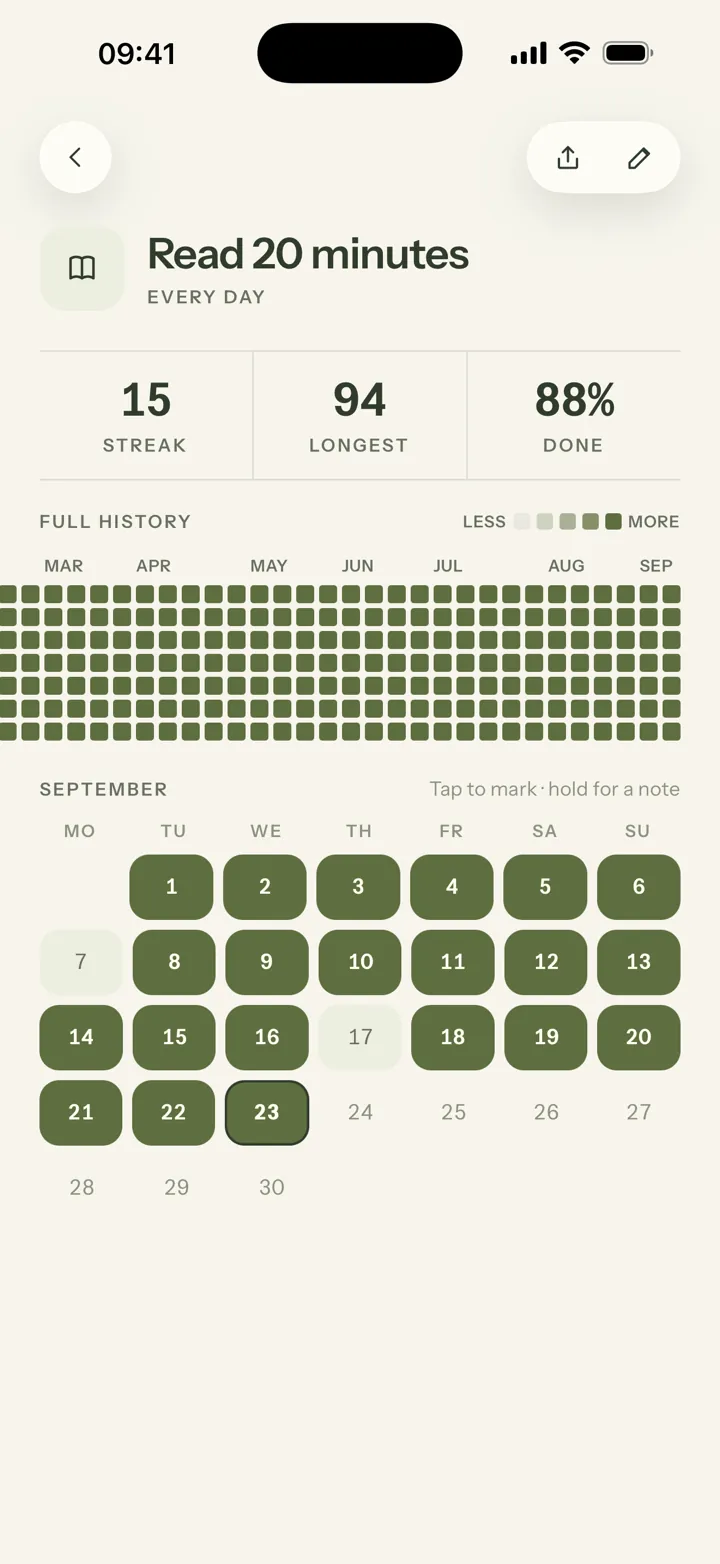
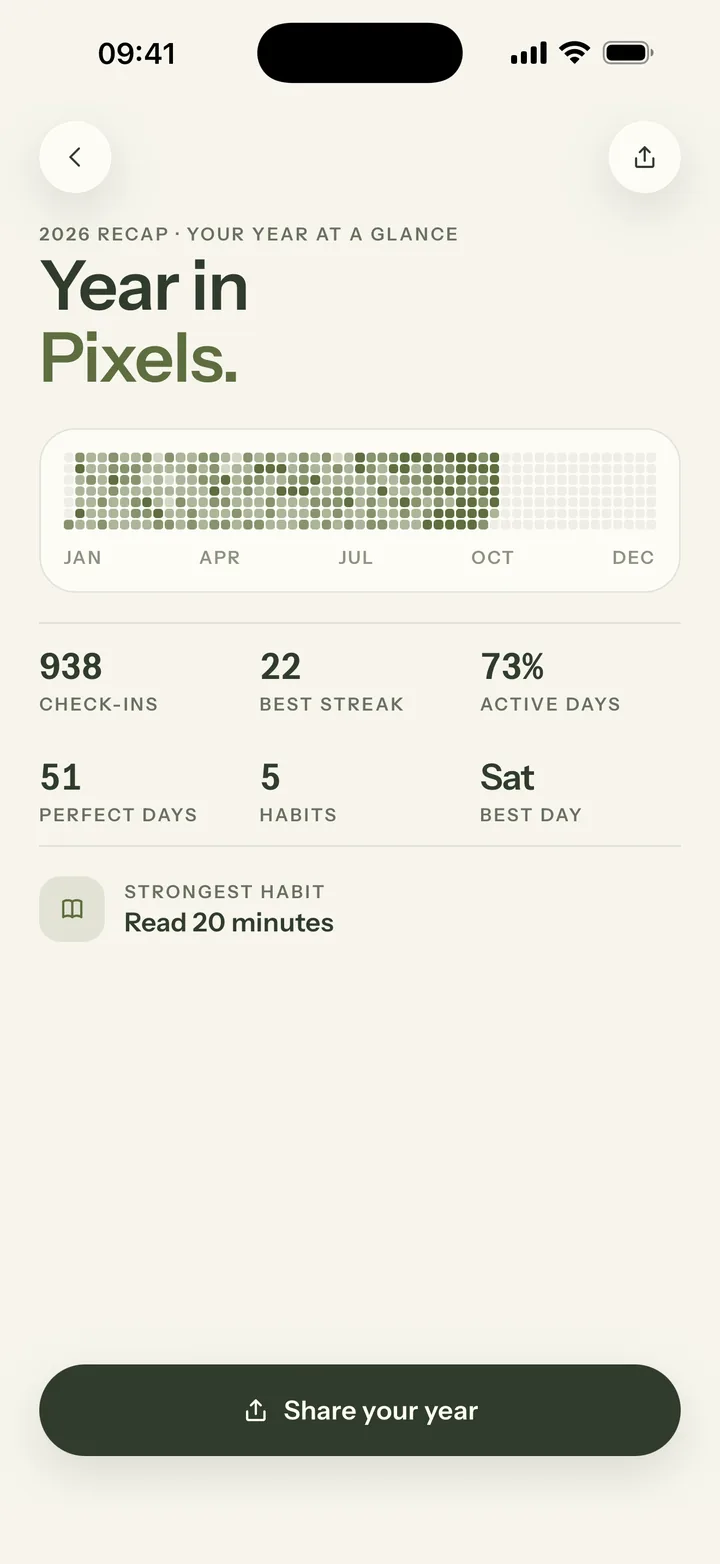
Mosaik is a calm habit tracker for iPhone, and it keeps two kinds of year grid for you. Both are about habits rather than mood; you can add a mood and energy level to any day in the journal.
Mosaik Plus costs €4.99 a month, €24.99 a year with a 7-day free trial, or €44.99 once, and also adds unlimited habits, Apple Health auto-tracking and a weekly AI coach. The free plan keeps the per-habit grids, the 66-day canvas and the journal.
Frequently asked questions
What is a Year in Pixels?
A Year in Pixels is a grid with one square for each day of the year. Each evening you color that day’s square using a key you choose, usually for mood. After twelve months you can see the whole year at once, including patterns you wouldn’t notice day to day.
What can I track in a Year in Pixels besides mood?
Almost anything with a daily answer: sleep, energy, stress, exercise, steps, water, reading, meditation, screen time, weather, alcohol-free days or how many of your habits you did. Pick one thing per chart, with three to five colors.
How do I make a Year in Pixels in a bullet journal?
Draw twelve narrow columns for the months and 31 rows for the days, or use a printable. Choose three to five colors and write a key beside the grid. Color one square each evening, and leave a square blank if you forget.
Is there a free Year in Pixels printable?
Yes. Mosaik’s Year in Pixels printable is a free one-page PDF in A4 and US Letter, with twelve months across, a line for what you’re tracking and a five-color key. It downloads straight away with no email sign-up.
Is there a Year in Pixels app?
Several apps have one. In Mosaik, a habit tracker for iPhone, every habit has a free full-year history grid, and Mosaik Plus adds a Year in Pixels recap: a year of all your habits on one card, with your best streak and perfect days, that you can share as an image.
When should I start a Year in Pixels?
Any day. January 1st is tidy, but starting mid-year works just as well: leave the earlier squares blank or use a 12-month grid that starts with the current month. The picture fills in from wherever you begin.